Showing posts with label line. Show all posts
Showing posts with label line. Show all posts
Friday, September 22, 2017
Tutorial Dapat Tema Line Official Secara Gratis
Tutorial Dapat Tema Line Official Secara Gratis
Halo,kembali lagi bersama saya, Kali ini saya akan membagikan artikel tentang Tema Line tyang mungkin bagi saya belum banyak orang yang tahu tentang hal ini. Saya Akan Memberitahukannya dari artikel ini.Jadi selamat membaca.Untuk pertama tama bukalah website "https://duniati.com/free-line-theme-android-download/"

Jika sudah Di-klik link-nya pilihlah Tema Line official Kesukaan kalian.Terus kalian Akan dialihkan Ke "Injy.in/".jika bukan Injt.in/ kalian langsung close karena itu iklan. Kalian Klik "skip Ads" jika sudah muncul. Kalian Akan dialihkan lagi ke "gwshare.com/". Kalian Harus lihat apajah link-nya gwshare.com/,jika bukan berarti itu adalah iklan. Kalian klik Create download link. Dan Yang terakhir kalian klik Download. Untuk Pemasangan Tema, Kalian bisa lihat di artikel saya sebelumnya di "http://edwardsulistijono.blogspot.co.id/2015/12/tema-line-untuk-android-theme-line-for.html" atau lihat di video di bawah ini, dengan syarat theme changer sudah diinstal di Android kalian.(bisa didownload gratis di playstore)

download file now

Wednesday, September 6, 2017
Uber CLI Quickly Get Uber Time To Pickup And Price Estimates From The Command Line
Uber CLI Quickly Get Uber Time To Pickup And Price Estimates From The Command Line

Uber CLI is a tool to get time-to-pickup and price estimates for Uber from the command line. The application cannot be used to request Uber rides.
This is useful if you use Uber and the command line a lot, as its much faster than checking these details on your phone, especially if you create some Bash aliases for your home address and the places you frequently use Uber to get to.
The developer says that he created Uber CLI because "[...] as a lazy person it pains me every time [I] open my phone, open the Uber app, type my destination, and see the estimated price, only for my inner, responsible, cost-cutting, fiduciary-self to end up taking the bus all the way home. I think we can all agree that it would be much more efficient to simply be disappointed before I open my phone at all".
Installing and using Uber CLI
1. To install Uber CLI, youll need Node.js and npm.
For Ubuntu 16.04 and newer, you can use the Node.js and npm packages from the official repositories:
sudo apt install nodejs npmFor Ubuntu versions older than 16.04, youll need a newer Node.js/npm version. This can be installed by using the official Node.js repository. Youll find exact instructions HERE (in my test I installed Node.js 6.x in Ubuntu 14.04 and uber-cli installed without any issues).
2. Install Uber CLI
Before proceeding, you may wish to set up npm to allow installing packages globally without sudo. For how to do this, see our previous article. You can skip this and use the command below with sudo, but thats not recommended!
To install Uber CLI, simply type the following command in a terminal:
npm install uber-cli -gThats it. You can now start using Uber CLI. To get a time-to-pickup estimate, use the following command:
uber time pickup addressHeres an example:
$ uber time 10 downing street london uk
?????????????????????????????????????????????????????
? 10 Downing St, Westminster, London SW1A 2AA, UK ?
?????????????????????????????????????????????????????
? ? ?
?????????????????????????????????????????????????????
? 2 min. ? uberPOOL,uberX,uberXL ?
?????????????????????????????????????????????????????
? 4 min. ? UberEXEC ?
?????????????????????????????????????????????????????
? 6 min. ? UberLUX ?
?????????????????????????????????????????????????????
? 8 min. ? uberASSIST ?
?????????????????????????????????????????????????????
? 17 min. ? uberWAV ?
?????????????????????????????????????????????????????
? 14 min. ? taxi ?
?????????????????????????????????????????????????????
You may skip the city and country - in my test, this worked without any issues, but I assume it is required in cases where there are multiple streets with the same name, etc.
To get price estimates, use the following:
uber price -s start address -e end addressHeres an example:
$ uber price -s 10 downing street london uk -e 221b baker street london uk
??????????????????????????????????????????????????????????????????????
? ? ? ? ? Surge ?
??????????????????????????????????????????????????????????????????????
? uberPOOL ? �10-�11 ? 3.74 mi. ? 20 min. ? ?
??????????????????????????????????????????????????????????????????????
? uberX ? �9-�12 ? 3.74 mi. ? 20 min. ? ?
??????????????????????????????????????????????????????????????????????
? uberXL ? �13-�17 ? 3.74 mi. ? 20 min. ? ?
??????????????????????????????????????????????????????????????????????
? UberEXEC ? �17-�23 ? 3.74 mi. ? 20 min. ? ?
??????????????????????????????????????????????????????????????????????
? UberLUX ? �27-�35 ? 3.74 mi. ? 20 min. ? ?
??????????????????????????????????????????????????????????????????????
? uberASSIST ? �9-�12 ? 3.74 mi. ? 20 min. ? ?
??????????????????????????????????????????????????????????????????????
? uberWAV ? �9-�12 ? 3.74 mi. ? 20 min. ? ?
??????????????????????????????????????????????????????????????????????
? taxi ? ?undefined-?undefined ? 3.74 mi. ? 20 min. ? ?
??????????????????????????????????????????????????????????????????????
? ? 10 Downing St, Westminster, London SW1A 2AA, UK ?
??????????????????????????????????????????????????????????????????????
? ? 221B Baker St, Marylebone, London NW1 6XE, UK ?
??????????????????????????????????????????????????????????????????????
The blank cells in the examples above are Emoji, but I removed them so the columns dont get messed up. To get Emoji support in Linux, install the EmojiOne Color SVGinOT font (but note that it doesnt work properly with monospace formatted text and causes incorrect character alignment, or at least thats the case at the time Im writing this).
app seen @ desdelinux.net

download file now
Tuesday, September 5, 2017
Transformation of the ICT master teachers line the countrys aspiration
Transformation of the ICT master teachers line the countrys aspiration
WHAT relevance of the theme of this years Teachers Day of Teacher Education Transformation Generator to the role of educators in improving student excellence?

Berita Harian Online: 16 Mei 2011
download file now
Thursday, August 31, 2017
Trash cli Manage Trash from Command line in Ubuntu Linux
Trash cli Manage Trash from Command line in Ubuntu Linux
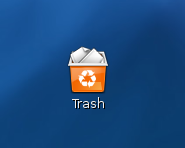
By using a utility named trash-cli you can simply mange Trash from command line
The location of Trash folder in old GNOME version is (~/.Trash), in current versions it is in ~/.local/share/Trash. There is two sub folders named files and info. The files folder contains the files deleted and info directory consists of meta data for each deleted file.
First step, install trash-cli utility
$ sudo apt-get install trash-cli
It installs three commands,
1. list-trash to list down the files in trash
2. trash to move the file to trash
3. restore-trash to restore the file to original path
Usage:
$ trash love.txt ( move the file love.txt to trash folder)
$ list-trash (List the contents of Trash folder)
2011-10-27 22:46:28 /home/abc/love.txt
$ restore-trash love.txt (Restore the file love.txt)
0 2011-10-27 22:46:28 /home/abc/love.txt
What file to restore [0..0]: 0 (if there is more than one file list shows 1 2 3 etc)
download file now
Tuesday, February 24, 2015
Volkswagen CC R Line Latest Wallpaper
We are showing the best gallery of Volkswagen CC R-Line Latest Wallpaper cool images exterior and interior design of car.. also Volkswagen CC R-Line Download iphone 6, Google Nexus 4 Resolution


Subscribe to:
Posts (Atom)